Graphics settings

little P

Super Mod
Hi all, quick question/request.

Could you post up your graphics settings for comparison?

I'm getting some strange slow down when racing etc. The fps counter is showing 100+ fps even when using x2/x4 DSR but at Daytona for example I'm getting some major slowdown even though the fps counter is never dipping below 60. It looks more like 15 at times... :confused:

I know it's not my Rig as it will run Assetto Corsa with everything maxed and a full grid so it must be a setting I've got wrong and thought I'd ask you more experienced iRacers :)

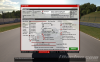
Here's mine and how I have it set;

graphics.jpg

Anything obvious there you can see that causes problems?

It's weird because it will be running smooth as silk then all of a sudden dip (in my eyes anyway) really low even though the ingame fps counter is not dipping.

I never had this problem when I was iRacing before... strange. I'm also streaming but never had a problem streaming games either, just wanted to mention everything.

Help? :icon_neutral:
 
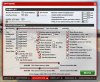
My system is probably one of the worst here, so I'm not sure if this is very useful to you, but here are my settings:

iRacingSim64 2014-12-03 22-41-13-05.png

It could be the track. For example, at Suzuka, people are complaining that their frame rate drops for a moment. I'm experiencing that too.

Then there were some issues with animated crowds near the grand stands. I'm not sure if that is still causing problems but Duke might know how to disable those animations if they are.

I would in any case recommend lowering the field of view to around 60 - 65 degrees. You will see less to the sides but consistency should improve.
This video explains it well: [video=youtube;4yYeiAHsdr0]https://www.youtube.com/watch?v=4yYeiAHsdr0[/video]
 

little P

Super Mod
Hmm. Seems streaming it might have been the problem. Just tried the same race, same cars (used 65 degree FOV boy is that weird...) and it seemed fine. I'll do some more testing but if the others could post up their settings that would be useful, cheers :)
 

Kenadian

Staff member
Site Admin
This problem is track specific and a few tracks are known for causing this microstutter issue.

I know that Sebring is certainly a track that can cause issues and although I didn't experience any this time around, I certainly experienced them (and commented about it) in this video:

[video=youtube;FuigcWId8q4]https://www.youtube.com/watch?v=FuigcWId8q4&list=UUF9fLJ1E783IlyZAYWhArZA[/video]

It's certainly not an FPS thing and I've heard others comment on frame drop even in practice sessions. To be perfectly honest, I think it has more to do with latency similar to Battlefield in that a few high pings can affect an entire grid.

Either that or it can be a session where there is an abundance of custom made skins causing the issues, not sure?

To be perfectly honest I'm still looking for a pattern to emerge but since it's so sporadic in nature it's really hard to diagnose.

Here are my graphic settings:

iRacing-Video-Settings.jpg

I'm running at an FOV of 60 simply because I'm trying to mimic what I see in my daily driver. I'm really trying to stick to what I see when I look straight ahead which leaves the left mirror in periphery and most (if not all) of the rear view mirror as well as the dash gauges.

I've also adjusted my view so I sit taller in the seat as I'm 6' in real life so there's no way I'd sit that low in any car. Every car I've ever driven has had a clear view of the entire hood which iRacing (and all sim racers) have issues with rendering accurately.

I'm still working on it though but if you want a feel for what I see then just go to our YouTube Channel and you can see exactly what I see.

Since I'm running SLI and have 16GB system memory I thought I'd up the GPU video memory and max video memory sliders.

I also cut Anisotropic Filtering and AA Samples and noticed very little if any difference.

Lastly, I disabled frame rate limit because it makes no sense when you're running a 120Hz monitor. I'd probably disable this even on a 60Hz to be honest.
 
I've also adjusted my view so I sit taller in the seat as I'm 6' in real life so there's no way I'd sit that low in any car. Every car I've ever driven has had a clear view of the entire hood which iRacing (and all sim racers) have issues with rendering accurately.
In the GT3 cars I don't think they can sit upright in any case because the cars are so low. As you can see in the McLaren video Daunt posted the guy's head is almost level with the dashboard, depending on where the camera is attached.
 

little P

Super Mod
Ok thanks mate :) I'm trying to get used to the FOV change, it's really weird not being able to see what's around me... I don't feel as if I can get as close to cars now. BUT, instantly, I was hitting apexes much more regularly so I'm going to stick with it for sure.

You're right it does feel more like a latency type of stutter rather than fps. Hmm. I'll monitor it and see what happens. It does seem that streaming is the culprit for me though, and I think it's because I'm streaming x2 DSR with no compromises on settings, so that can't be good? But, I am a streaming n00b so I have no idea, I might be wrong.
 

Twitch

Latest posts

iRacing Special Events 2026

ROAR: LMP3, GT4, Touring
  ~ Jan 9 - 10
Daytona 24: GTP, LMP2, GT3
  ~ Jan 16 - 18
Bathurst 12: GT3
  ~ Feb 20 - 22
Sebring 12: GTP, LMP2, GT3
  ~ Mar 27 - 29

Forum statistics

Threads
3,840
Messages
48,088
Members
626
Latest member
PÉ DÍ PÁNO
Top Bottom