Elite Dangerous Track IR settings

little P

Super Mod
I got a Track IR5 with Trackclip Pro as one of my Christmas gifts.

Duke, I know you use Track IR and wondered if anyone else did too and would like to share any tips on setting up and calibration.

The default profile seems fine, it worked straight away as soon as I booted up ED. All I have done in the Track IR profile is reduce the brightness of the led's on the camera unit and minimize to taskbar / run at start up etc.

Is there anything I could be doing to get the best experience?

I was also wondering if there was a way to quickly turn it off/on as and when required. I couldn't seem to find a way to do that, and the "headlook toggle" key doesn't seem to affect the Track IR?

Overall though after a brief test this morning it's a definite improvement over the EDTracker I have.
 

Kenadian

Staff member
Site Admin
TrackIR is absolutely awesome but may take time to get used to. The one thing you'll come to notice however is that there will come a time when you'll wonder how you ever lived without it? It's become a staple for me in any game supporting 6DOF and I never play without it.

First off and most importantly, NEVER leave TrackIR running when you're not using it. Do not allow it to start with Windows, only run it when you're using a game that supports its usage.

The one thing that makes TrackIR more precise than all home made solutions is it performs real time mathematical head tracking in the camera. This causes the camera to get hot over time and may lead to decreased life expectancy.

The reason why is that in brightly lit spaces it may be picking up ambient light and performing numerous calculations on a long term ongoing basis. This is why you cannot typically use TrackIR in a brightly lit room as the camera is picking up ambient light as well (yes it's that sensitive).

Of course you can tune out the sensitivity to a certain degree but you bought TrackIR for the sensitivity so it makes little sense to tune it out IMHO.

Turning it off is simple, just close down the software and the camera will shut down. It's just a good habit to get into so I strongly recommend it as it will likely make your TrackIR last a lifetime.

Also, if you have the TrackIR Track Clip mounted to a hat try to keep it away from UV light. I actually have mine in a shady area that cannot be lit by any UV light coming in from my Patio Door.

What will happen is overtime the UV will hamper the reflective strips ability to be picked up by the camera. All vinyl is subject to UV damage overtime so it's not a flaw, just the way reflective vinyl works.

Lastly, like with any peripheral you need to have the TrackIR Software running before you start the game.

...

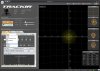
I pretty much always use the Default Profile and then modify it to suit my tastes game dependent. I don't really mess with the True Head Angle (deg) settings as I find them to be pretty good.

What I typically modify is the sensitivity of Yaw, Pitch, Roll, X, Y, Z in the Axis Menu. All you need do is select one from the Axis Dropdown and simply click the "Curve" Arrows below it (up for increased sensitivity, down for less).

If you are going to change the Default Profile though I strongly suggest creating a copy of it first and renaming it to something else. The options to do so are right next to the Profile name, to the right of the "Exclusive" Radio Box represented by Icons +, Copy - and Save as seen in the following image (highlighted in Green):

Profiles-Creation-TrackIR5.jpg

Here is my Elite: Dangerous TrackIR Profile:

http://bandofothersgaming.com/files/misc/Elite-Dangerous-TrackIR.rar

Simply unzip and put the .xml file in your Profiles folder (by default) C:\Program Files (x86)\NaturalPoint\TrackIR5\Profiles

You'll need to restart TrackIR for the Profile to show up in the "Advanced Settings/Profiles" Tab.

Profiles-TrackIR5.jpg

Good Luck and enjoy!
 

little P

Super Mod
Ok thanks Duke great write up :)

I'll take your advice re: startup and closing it down. That makes sense.

Thanks for the profile too I'll give that a whirl :icon_cool:
 

Kenadian

Staff member
Site Admin
Whoops, hope not closing out of the program for the almost 4 days I was away from home doesn't have a huge negative impact.
Honestly you can probably leave it on forever and not have any issues. The reason I make this suggestion is I've burned through one unit and I think it's due to ongoing camera activity from my brightly lit apartment.

I'm on the top floor in a 3 story low-rise with southern exposure and nothing to shade my front room. Needless to say it's very bright in my apartment all day long throughout the summer months which means my camera may be busy picking up a lot of that ambient light.
 

Twitch

Latest posts

iRacing Special Events 2026

ROAR: LMP3, GT4, Touring
  ~ Jan 9 - 10
Daytona 24: GTP, LMP2, GT3
  ~ Jan 16 - 18
Bathurst 12: GT3
  ~ Feb 20 - 22
Sebring 12: GTP, LMP2, GT3
  ~ Mar 27 - 29

Forum statistics

Threads
3,845
Messages
48,115
Members
627
Latest member
FUNsizeMEX
Top Bottom