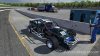
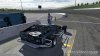
B2O Paint Schemes for iRacing

Kenadian

Staff member
Site Admin
If this is happening it means the game is having issues rendering it properly be it file size or some other reason.

I can't remember the options when saving a .tga file but there are 3 of them and we typically save in 32 if I remember correctly. Whenever this issue occurs I just save it at the next lowest setting (24?).
 

Daunt

MLG Pro
Good point Duke. I do save all my Targas in the highest setting. You remember correctly. it's 32bits/pixel. The next setting is 24.

I can try and save it down and replace the one on TP tonight if you remind me.
 

Kenadian

Staff member
Site Admin
I can't say for sure Kyle but I think it's a file size issue. If you have a paint with a lot of layers I believe the image filesize is larger even if the layers are hidden, don't quote me on this though.

I've only run into this issue once or twice on paints with 2 or 3 different bases such as the original B2O and the new Red and Black Endurance B2O. Since then I've been deleting the old layers and saving the new layered file under a newer name such as 2016-Endurance.

This way I know I'm using the most up to date paint file with the least amount of layers possible which is still about 50 or so separate layers by the time I'm done lol.
 

AbbyTheFoxx

TS3 SA
There's an option for 12, 24, and 32 (highest quality), 24 being the default. There's also a checkbox for "Compress (RLE)", which is also enabled by default. If it isn't already maybe enabling that will fix it.
 

Daunt

MLG Pro
I've never ever had an issue with this on my side so I'm not sure where it's coming from. Maybe recent changes to the sim or TP have affected how cars paints show or something. I'd be surprised that layers would be an issue because the finished targa should be flattened.

Even so I'll try converting it to 24bits and you can try that and see if it works, Quadro. Out of curiousity, do you have the higher res paints enabled in the settings.ini?

EDIT- I never compress it either. Never have. I can try that as well.
 

Kenadian

Staff member
Site Admin
I never compress RLE and don't think it's necessary personally. I also save everything at 32 currently.

I only mentioned the zillion layer angles because I'm not sure how relevant it is? Since I've stopped doing it the problem has magically disappeared which is why I make mention of it as I've not saved 24 since.
 

AbbyTheFoxx

TS3 SA
I have 2048x2048 paints disabled to possibly help save frames in heavy traffic. I can enable it and see if that fixes it.
 

Peeble

Core
Hey guys, forgive me if I'm missing it but is there any chance we could get B2O paints for the Gen6 cars? Daytona 500 is this week and I'd like to run the team paint.
 

Daunt

MLG Pro
I did a paintjob for the Chevy gen6 based upon our V8SC paint a while ago. Can't find a screenshot right now.
 

Peeble

Core
I did a paintjob for the Chevy gen6 based upon our V8SC paint a while ago. Can't find a screenshot right now.
Any chance it could be adapted for the Toyota? Also it might need updating as I think they changed some of the Gen6 cars a bit.
 

Daunt

MLG Pro
You'd have to give me a replay of yourself doing a lap at like, charlotte day in the Toyota. If you can post that I will adapt the paint for it... shouldn't be difficult.
 

Daunt

MLG Pro
How many times did you have to restart / pit out before you managed to pit out without dinging the wall?
 

Twitch

Latest posts

iRacing Special Events 2026

ROAR: LMP3, GT4, Touring
  ~ Jan 9 - 10
Daytona 24: GTP, LMP2, GT3
  ~ Jan 16 - 18
Bathurst 12: GT3
  ~ Feb 20 - 22
Sebring 12: GTP, LMP2, GT3
  ~ Mar 27 - 29

Forum statistics

Threads
3,840
Messages
48,094
Members
627
Latest member
FUNsizeMEX
Top Bottom