Daunt
MLG Pro
I wanted to repost this to our own forum- even though this is available on iRacing's forum. It is a great guide for the do's and don'ts to setting up your cockpit, whether it's a really expensive, in-depth one, or just your desk chair and one monitor. I know in the coming weeks I'll be using a lot of these tips.
Translation by Gonzalo Camara http://boxthislap.org/
Carlos Casas (Total Spanish Simulator) wrote a useful guide a few months ago about how to get full immersion in our sim. Here it is a briefly translation.
Setting hardware the right way
LINK PDF
http://www.totalspanishsimulator.com/manuales/varios/consejos inmersion.pdf
------------------------------------------------------------------------------------------------------------------
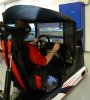
1. Distance to the main screen
“The closer, the better”
As you probably imagine, the closer you are, the better realism and immersion you get.
With this subject in mind there are different variables, as the screen size.
Below 27 inches ideal distance is about 60 cm, always calculating from the driver eyes to the main screen.
Bigger screens need to increase this distance up to 10 cm, no more. Over 70 cm is not recommend because lack of coherence between “real” and “virtual” objects.
It takes time to accommodate to these kind of short distances.
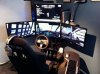
Wrong
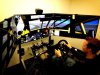
RIGHT
2. Height of the sight
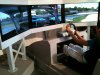
Right focus of our sight has to be in straight line to the “road”. You achieve this when your eyes are at the 60% of the height of the screen. There is no need to change the focus or other inconveniences physical issues.
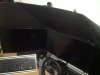
Wrong
Right
3. Wheel position
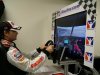
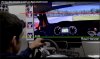
The ideal is to overshape wheel virtual silhouette with the physical, always leaving a short distance between 3 and 6 cm. Bear in mind you have to accomplish the previous distance and height guidelines before and feel comfortable in your driving position.
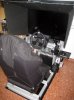
Wrong
Right
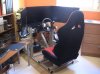
4. Seat
Check in your sim which options you have to calculate the height and the distance of the seat and the wheel. Mostly you got an approach with the previous steps.
Wrong

Right
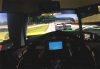
5. Field of view
Disable virtual representation of the driver hands and wheel.
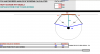
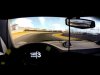
It is really important to understand what is happening before our eyes. Lastly every sim has its own FOV calculator that helps to set depending on the height and distance measures. When the FOV is wrong there is an tunnel effect that distorts the speed feeling and feedback. When you try to get a balance with one screen it is important not forget the vehicle sides.
Wrong
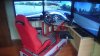
Right
Translation by Gonzalo Camara http://boxthislap.org/
Carlos Casas (Total Spanish Simulator) wrote a useful guide a few months ago about how to get full immersion in our sim. Here it is a briefly translation.
Setting hardware the right way
LINK PDF
http://www.totalspanishsimulator.com/manuales/varios/consejos inmersion.pdf
------------------------------------------------------------------------------------------------------------------
1. Distance to the main screen
“The closer, the better”
As you probably imagine, the closer you are, the better realism and immersion you get.
With this subject in mind there are different variables, as the screen size.
Below 27 inches ideal distance is about 60 cm, always calculating from the driver eyes to the main screen.
Bigger screens need to increase this distance up to 10 cm, no more. Over 70 cm is not recommend because lack of coherence between “real” and “virtual” objects.
It takes time to accommodate to these kind of short distances.
Wrong
RIGHT
2. Height of the sight
Right focus of our sight has to be in straight line to the “road”. You achieve this when your eyes are at the 60% of the height of the screen. There is no need to change the focus or other inconveniences physical issues.
Wrong
Right
3. Wheel position
The ideal is to overshape wheel virtual silhouette with the physical, always leaving a short distance between 3 and 6 cm. Bear in mind you have to accomplish the previous distance and height guidelines before and feel comfortable in your driving position.
Wrong
Right
4. Seat
Check in your sim which options you have to calculate the height and the distance of the seat and the wheel. Mostly you got an approach with the previous steps.
Wrong
Right
5. Field of view
Disable virtual representation of the driver hands and wheel.
It is really important to understand what is happening before our eyes. Lastly every sim has its own FOV calculator that helps to set depending on the height and distance measures. When the FOV is wrong there is an tunnel effect that distorts the speed feeling and feedback. When you try to get a balance with one screen it is important not forget the vehicle sides.
Wrong
Right