
-
Band of Others is populated with passionate Gamers maintaining friendships ranging days to decades. Members comprise of good people like you with widely varying levels of Gaming experience.
We actively support a wide range of Gaming Genres such as First Person Shooters, Role Playing Games, Simulations and even Strategy Games.
We maintain our own 500+ slot Teamspeak 3 Server with plenty of room for you and your friends to chat.
Join us today, you'll be glad you did!
Son is building a new PC, could use some pointers.
- Thread starter Engnr
- Start date

mondo
Hardcore
Lots of good suggestions here: http://www.tomshardware.co.uk/answers/id-1971551/1000-gaming-build-2014.html#.

JohnnyK
Hardcore
Do not skimp on PSU & case!
http://www.reddit.com/r/buildapc/ has tons of build suggestions for different prices.
Forget reusing old parts unless they are very recent, exceptions are possibly storage drives and definitely peripherals.
If you have a Microcenter near you, they often have great CPU+Mobo bundles.
For a Windows license check with his school or if Beth can get it for cheap, edu-adresses help.
http://www.reddit.com/r/buildapc/ has tons of build suggestions for different prices.
Forget reusing old parts unless they are very recent, exceptions are possibly storage drives and definitely peripherals.
If you have a Microcenter near you, they often have great CPU+Mobo bundles.
For a Windows license check with his school or if Beth can get it for cheap, edu-adresses help.

little P
Super Mod
Mate, I would give my two penneth worth, but seeing as I just electrocuted myself and shorted out the pc connecting a firewire port to the motherboard I'm not sure that's a good idea... On the plus side, it turned back on, and I am now magnetic.
Just in case you still want my opinion...
Video card? The Gigabyte 650ti Boost I got a few months ago should be really cheap now, and it runs everything on Ultra. This is confirmed with Crysis 2 & 3, BF 3 & 4, Assetto Corsa, Metro Last Light etc. all the graphical big boys, at around 50-60 fps, well over 100 in most but not dipping below this fps on Ultra on these games is bloody impressive. It even runs Skyrim with the photo realism mods going, and seriously that is extremely taxing for a card, and I've got it running smooth as silk. The ENB mods for Skyrim make it look absolutely jaw dropping... There's not been a game it struggles with yet at 1920x1080. Obviously there are more powerful cards out there and if you are going to be recording or want to run multiple monitors I'd probably add another and SLI them or get a beast single card but the prices sure rise sharply for those cards. For a mid range card I'm over the moon with it.
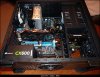
Just in case you still want my opinion...
Video card? The Gigabyte 650ti Boost I got a few months ago should be really cheap now, and it runs everything on Ultra. This is confirmed with Crysis 2 & 3, BF 3 & 4, Assetto Corsa, Metro Last Light etc. all the graphical big boys, at around 50-60 fps, well over 100 in most but not dipping below this fps on Ultra on these games is bloody impressive. It even runs Skyrim with the photo realism mods going, and seriously that is extremely taxing for a card, and I've got it running smooth as silk. The ENB mods for Skyrim make it look absolutely jaw dropping... There's not been a game it struggles with yet at 1920x1080. Obviously there are more powerful cards out there and if you are going to be recording or want to run multiple monitors I'd probably add another and SLI them or get a beast single card but the prices sure rise sharply for those cards. For a mid range card I'm over the moon with it.

I think you sound like you're on the right path but my suggestion is to stay away from SLI. I wouldn't even purchase a single graphics card solution with SLI in mind for the future.
You see very little gains in SLI and some games and most software still don't properly support it so it ends up costing you more in the long run.
You'll always get more bang for your buck overall with the best single GPU card you can afford and by "afford" I mean around $50 -$100 more than you were previously going to spend lol.
You see very little gains in SLI and some games and most software still don't properly support it so it ends up costing you more in the long run.
You'll always get more bang for your buck overall with the best single GPU card you can afford and by "afford" I mean around $50 -$100 more than you were previously going to spend lol.
JohnnyK
Hardcore
littlep, there is 0 chance your card runs BF4 on Ultra at a stable 60 FPS @ 1080p.
It's a great card for the price, but you are exaggerating here.
As a rule of thumb, min. FPS is much more important than max. FPS for a smooth experience.
Paul, depending on the budget I'd go with either 4670k or an FX-8320. If you go with AMD you might have room for an R9-280X or nvidia 770, otherwise I'd suggest an R9-270X or 760.
It's a great card for the price, but you are exaggerating here.
As a rule of thumb, min. FPS is much more important than max. FPS for a smooth experience.
Paul, depending on the budget I'd go with either 4670k or an FX-8320. If you go with AMD you might have room for an R9-280X or nvidia 770, otherwise I'd suggest an R9-270X or 760.
little P
Super Mod
Err... well it does... That's all I can say really? I'm not sure why you'd say that... It runs it at Ultra no problems at all... Why would I exaggerate? What purpose would that serve? :icon_confused:I'm only going by what I see with my own eyes not a chart or something if that's what you're basing that comment on? 

Engnr
Moderator
Thanks a million for all the input. It's made a huge difference, now I almost know what I'm doing again. Ran into a "chap" at MicroCenter that talked to me about SSD's for a bit. He set up 2 120's in a raid zero, said it's crazy fast. I had not even thought of doing that. He also mentioned a couple of critical things about SSD's I didn't know. Move virtual memory off the SSD, turn off paging, and turn off allowing the computer to go into sleep mode.
JohnnyK
Hardcore
You might be a little biased. ;-) And you cannot judge FPS with your eyes.Err... well it does... That's all I can say really? I'm not sure why you'd say that... It runs it at Ultra no problems at all... Why would I exaggerate? What purpose would that serve? :icon_confused:I'm only going by what I see with my own eyes not a chart or something if that's what you're basing that comment on?
BF4 is a friggin hardware whore for which a 650ti Boost simply cannot keep 60 FPS (or 50 min.)
You might even average 50 at Ultra, but you are gonna dip down to 35-40 in intense action. Especially if you have any kind of AA enabled.
Compare the 660 which is probably ~10-15% faster than the 650ti Boost: http://hardwarepal.wpengine.netdna-cdn.com/wp-content/uploads/2013/11/Battlefield-4-1920-x-1080-Ultra-Settings-GTX-660-vs-7870.jpg
Again, it is a great card, one of the best bang-for-buck cards. But run the Fraps benchmark for a few minutes while playing BF4 and see for yourself.
Last edited:
JohnnyK
Hardcore
RAID for SSDs is overkill IMHO. Heck, a single SSD will boot into Win8 in barely any time.Thanks a million for all the input. It's made a huge difference, now I almost know what I'm doing again. Ran into a "chap" at MicroCenter that talked to me about SSD's for a bit. He set up 2 120's in a raid zero, said it's crazy fast. I had not even thought of doing that. He also mentioned a couple of critical things about SSD's I didn't know. Move virtual memory off the SSD, turn off paging, and turn off allowing the computer to go into sleep mode.
As for the critical stuff - it's much less critical now. SSD failure rates are on par with HDDs nowadays. Heck, I've had my Samsung 830 for nearly 2 years already, and total bytes written is 5.6TB, while the drive is basically guaranteed to last to about 300-400TB. (writes are what basically use up an SSD).
What you should still avoid is constant write barrages like torrenting. And defragging an SSD is useless, but a modern OS disables that automatically.
E
ElektroVodka
People who use fraps to capture fps are fooling themselves.
JohnnyK
Hardcore
If they are recording - yes. If they run the benchmark - no. It has no discernible performance impact and gives a pretty accurate picture of min/max/avg. FPS.People who use fraps to capture fps are fooling themselves.
mondo
Hardcore
If you move virtual memory off the SSD It actually makes the system slower (you have to put it on an HDD instead), you lose some of the benefit of having and SSD. Sure boot and shutdown times are cool when they're fast but the real benefit is when you're using your PC, so you want to have the virtual memory etc mounted on the SSD. Also one reason for removing paging/temp files/caches/user directories/VM off SSDs was to save on the number of writes needing to be made - older SSDs had a very limited number of writes. New ones have much longer lives so less precautions need to be taken. That PC will be dead by the time the SSD loses integrity.Thanks a million for all the input. It's made a huge difference, now I almost know what I'm doing again. Ran into a "chap" at MicroCenter that talked to me about SSD's for a bit. He set up 2 120's in a raid zero, said it's crazy fast. I had not even thought of doing that. He also mentioned a couple of critical things about SSD's I didn't know. Move virtual memory off the SSD, turn off paging, and turn off allowing the computer to go into sleep mode.
If you want a real performance increase then get 16GB of memory and make 8GB a RAMdisk and stick all your temp files, caches, virtual memory etc onto that. Stick the Ramdisk image on a HDD - you'll have slower boot up times but that will make your PC faster than any SSD can make it because you're accessing RAM which has a bigger bandwidth than the SSDs sata port.

tmtm
Admin
Pretty much what Mondo and JK said about SSDs. Plus, I would be wary of taking build advice from anyone that would use two SSDs in RAID0. That's batshit nutty for 100 different reasons.
Just buy one well-reviewed SSD in the largest size you can afford, and another large mechanical drive for storage and programs you don't need the speed for.
Just buy one well-reviewed SSD in the largest size you can afford, and another large mechanical drive for storage and programs you don't need the speed for.
Engnr
Moderator
I thought the Raid 0 seemed a tad overkill. I'm going for a Samsung 250. So leave virtual memory on, fair enough. I guess first generation stuff have issues, but now we are well into 2nd gen stuff all the kinks are worked out. I fear getting too crazy with it cause its the kid's box and he's better about avoiding viruses, but..... I need to make it pretty bullet proof and I think I have a pretty cool system ironed out. Need to see if I can copy it here from Micro Center's shopping cart.
But the RAM disk sounds like fun, I have specked out 16 gig of ram.
Ok, try this.
http://pcpartpicker.com/p/2Rm47
Need to sort out the option to select only preferred vendors.
But the RAM disk sounds like fun, I have specked out 16 gig of ram.
Ok, try this.
http://pcpartpicker.com/p/2Rm47
Need to sort out the option to select only preferred vendors.
Last edited:
JohnnyK
Hardcore
Did you find a combo deal for CPU&mobo? Any reason you chose that particular mobo?
Budget case of choice would be http://pcpartpicker.com/part/nzxt-case-s210001 for me
PSU - 750W seems a lot, I'd consider going down to maybe 650W (which si plenty for this build) but going full modular.
Budget case of choice would be http://pcpartpicker.com/part/nzxt-case-s210001 for me
PSU - 750W seems a lot, I'd consider going down to maybe 650W (which si plenty for this build) but going full modular.
Engnr
Moderator
MicroCenter has the combo with that mobo, has 10 USB and seems a real stable choice, I could be wrong. Case was boy's pick. I may drop to the 600W power supple to save a few $$$ now I see the "Estimated Wattage" in the upper right corner.
If you lot have a better option for the mobo, I'm game.
If you lot have a better option for the mobo, I'm game.
Twitch


iRacing Special Events 2026
ROAR: LMP3, GT4, Touring
~ Jan 9 - 10
Daytona 24: GTP, LMP2, GT3
~ Jan 16 - 18
Bathurst 12: GT3
~ Feb 20 - 22
Sebring 12: GTP, LMP2, GT3
~ Mar 27 - 29
~ Jan 9 - 10
Daytona 24: GTP, LMP2, GT3
~ Jan 16 - 18
Bathurst 12: GT3
~ Feb 20 - 22
Sebring 12: GTP, LMP2, GT3
~ Mar 27 - 29